
Your guide to Passkeys
The Future of Logging In (minus the Password Pain)
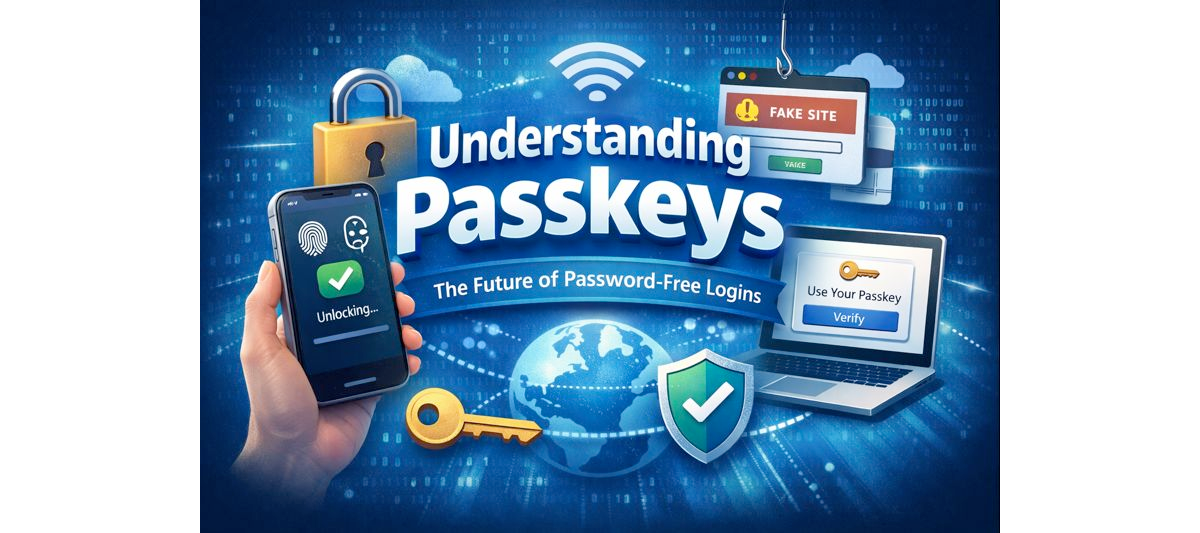
The Future of Logging In (minus the Password Pain)
As long as we have been using secure websites and applications, passwords are how we prove who we are. If you have the password, you can be anybody, and if anyone else has your password, nothing is stopping them from impersonating you. The more websites and applications we use, the more passwords we need, and as sites get hacked, password rules keep getting more complex. That has made passwords a source of frustration, confusion, and security problems.
As we use more and more websites and applications, our list of passwords continues to grow. Frequent security breaches have led to increasingly complex requirements, turning passwords into a source of frustration, confusion, and security risk.
Passwords are now a bane of our existence: we forget them, we reuse them, we write them down, and hackers steal them.
Passkeys are an attempt to finally fix this mess, not by making passwords “better,” but by removing them entirely.
This article will help us understand passkeys, what they are, and how to get started using them.
What Is a Passkey?
A passkey is a new way to prove your identity to a system without providing a password. Instead, you use your device to indicate your identity.
So instead of the application checking for a password (“something you know”), it requests you to use your device (“something you have”), such as your smartphone, to approve login by unlocking your device using a fingerprint, face recognition (“something you are”), or PIN (“something you unlock”).
To grasp the concept, think of a passkey like a digital key stored safely inside your phone or computer.
A Familiar Analogy: Keys vs Passwords
Lets try to understand the difference between this with a real life example
| Passwords are like codes to the front door | Passkeys are like physical keys |
|---|---|
| You can get in. | The lock recognizes the unique shape of your key. |
| Anyone you share it with can get in. | Your key never actually leaves your pocket. |
| If that code leaks online, total strangers can get in. | It cannot be copied, guessed, or shared. |
How Passkeys Work
Let us now look at how passkeys work technically and what exactly happens when you log in.
When you create a passkey, two keys are created: a private key and a public key. The private key stays on your device and the public key stays on the website. The public and private keys only work together.
The private key never leaves your device, ever.
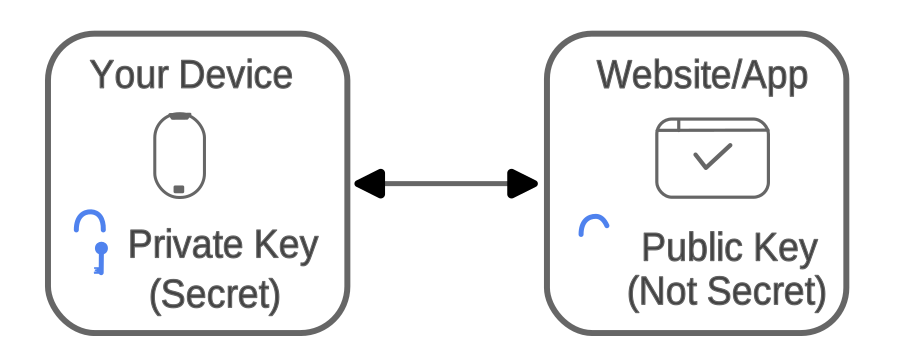
How Passkeys work
When Logging In With a Passkey
The website prompts you to confirm it is really you (where you would originally enter a password). To do that, it asks you to approve login using your device.
You then unlock your device using your face, fingerprint, or PIN. Upon unlock, the device sends proof to the website that it is indeed you. Note that it does not send the key, and the key never leaves your device.
Upon receipt of this proof, the website grants you access to secure pages and data. This allows you to log in without typing passwords and without secrets being sent over the internet.
Why Passkeys Are More Secure
They Cannot Be Phished as they are locked to the exact website and a look-alike site gets nothing. Unlike sites that store passwords, in case of passkeys, nothing valuable is stored on the servers, which makes a security breach far less damaging to you. Passkeys are unique per site, automatically generated and cannot be reused. Best part being they are not created or maintained by the user. You simply look at your phone or touch your fingerprint reader to log in.
Security disappears into the background.
However, it is prudent to note some downsides of passkeys as well. As passkeys reside on devices losing all or not having access to any device can be a problem. While most platforms support syncing to clouds, backup authentication methods and device recovery options, recovery planning is important
Another thing to note that passkeys work best within their ecosystems Apple <> Apple, Google <> Android/ Chrome and Microsoft <> Windows. While Cross-platform support exists, but it is not perfect yet.
Today not every site supports passkeys. Some of them still only support passwords and some passkeys and other support both. Some of the important accounts and cloud services are best places to start using passkeys today, especially for people who forget passwords or risk security by using and reusing simple, easy to guess passwords.
How to try Passkeys yourself
There are many demo sites that can let you test and learn how to use passkeys, such as webauthn.io or passkeys.dev . A dummy account can be created along with a passkey to test out logging in without a password.
Else, one can start by setting up passkeys on one of the popular services such as Google , Apple ID , GitHub etc, by enabling passkeys in security settings.
Passkeys do not just improve security, they remove an entire category of problems. They protect users from phishing, reduce data breach impact, lower mental load and elevate everyday living.
Happy eXperiminting with Passkeys !!